AI Agent and knowledge ›

Shared Inbox & Email Triage

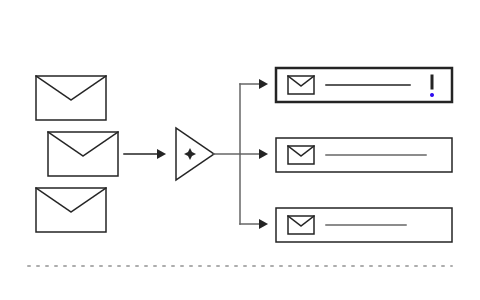
Emails arriving in a shared inbox are read, categorized and forwarded to the right owner automatically.

Shared Inbox & Email TriageSample data

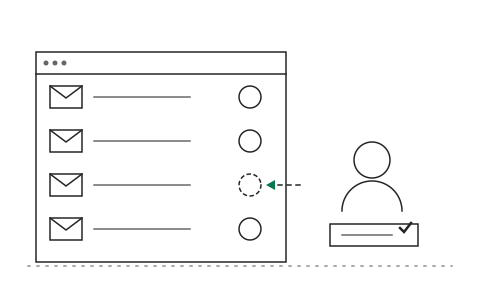
Select an email to read

Go ahead and try it. This screen simulates the system with sample data.

Highlights

Sorts messages by type and urgency

Sorts messages by type and urgency

Drafts replies for staff to send, or sends them automatically by rule

Drafts replies for staff to send, or sends them automatically by rule

Makes sure every case has an owner

Makes sure every case has an owner

What Shared Inbox & Email Triage is and how it helps your organisation

Shared inboxes such as info@, sales@ or support@ receive dozens to hundreds of emails a day: quote requests, status enquiries, complaints and spam. Several people read them but nobody owns them, so important emails are answered late or not at all, and managers only find out when a customer calls to complain.

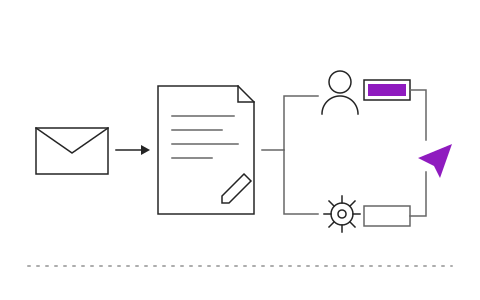
The Shared Inbox AI reads every incoming email, classifies it by type and urgency, and forwards it to the right owner automatically. For common questions it drafts a reply from your organization's data for staff to review and send, or sends automatically by rule for standard cases. Every case has a status and an owner, and the system alerts the team when anything is left open beyond the agreed time.

After go-live, customers receive faster and more consistent replies, sales and service teams spend their time on cases that truly need a person, and managers can see which types of email are growing and which cases are about to slip. Khaojai IT configures the email triage to match your case types and teams, and connects it to Microsoft 365, Google Workspace, your CRM and your ticketing system.

Questions buyers ask before starting

How long does implementation take

Typically 4 to 8 weeks, including connecting the mailboxes, defining case types and routing rules, and trialling with real email before full rollout.

Can the AI reply to customers on its own

By default the AI drafts and a staff member reviews and sends. You can enable automatic sending only for clearly defined standard cases, such as acknowledging receipt, and turn it off at any time.

Does it work with our existing Microsoft 365 or Google Workspace

Yes. It connects to your existing mailboxes without migrating email or changing addresses, and can push case data into the CRM or ticketing system you already use.

Is customer data in the emails secure

Email stays in your organization's mail system. The AI processes it within defined boundaries, access follows each team's permissions, and customer personal data is handled in line with PDPA.

AI in this system

AI reads emails, drafts replies and forwards them to the right person.

  1. 01Reads each email's intentRecognizes questions, orders, complaints or document submissions.
  2. 02Extracts key detailsCaptures document numbers, company names and dates from text and attachments.
  3. 03Drafts replies from historyUses past contact with that customer to draft an on-point reply.
  4. 04Routes to the right personPicks an owner based on the case type and each person's workload.

Works with the systems you already use

LINEMicrosoft 365Google WorkspaceSAPExcelExisting systems through APIs

Questions about Shared Inbox & Email Triage?
Tell us about it

Describe the problem your organisation faces. Our team and AI will recommend the right software and help you think it through.