E-commerce and warehousing ›

Warehouse Management (WMS)

Receive, store, pick, pack and check before dispatch, all on warehouse staff's phones.

Warehouse Management (WMS)Sample data
Handheld scanner0/5
Pick nextC5Sunscreen x6
  1. C5
  2. A2
  3. D1
  4. B6
  5. A4

Go ahead and try it. This screen simulates the system with sample data.

Highlights

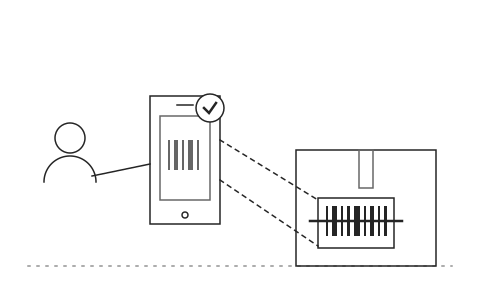
Scan barcodes with a phone, no dedicated scanners needed

Scan barcodes with a phone, no dedicated scanners needed

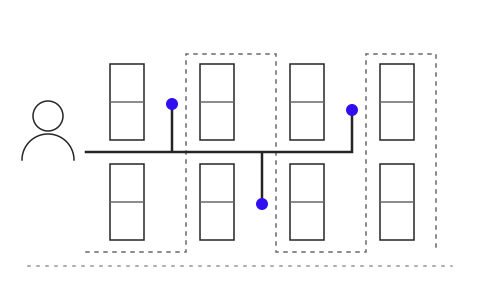
AI orders picks so staff walk as little as possible

AI orders picks so staff walk as little as possible

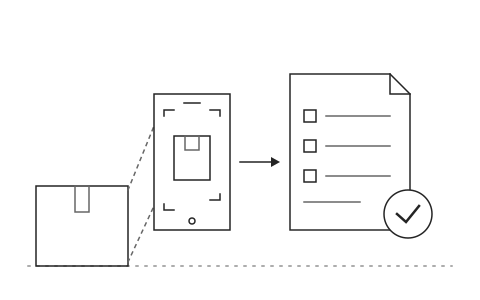
Photograph parcels before dispatch and AI checks they match the order

Photograph parcels before dispatch and AI checks they match the order

What Warehouse Management (WMS) is and how it helps your organisation

The warehouse has outgrown the tools that run it. Staff cannot find items, pick the wrong variant or quantity, and physical counts never match the numbers in the system. When volumes spike, mispacked and misdelivered parcels become a cost you chase afterwards, in reshipping fees and in customer trust.

Khaojai IT's warehouse management system (WMS) covers receiving, put-away, picking, packing and the final check before dispatch, all on warehouse staff's own phones using barcode scanning, with no dedicated scanners to buy. The AI sequences picks so staff walk as little as possible, and when a parcel is photographed before dispatch, the AI checks that the contents match the order before the box is sealed.

In daily use, new staff become productive quickly because the system guides each step, stock figures match what is on the shelf and fewer wrong items reach customers. Khaojai IT adapts the WMS to your warehouse layout and working methods and connects it to the order, ERP or carrier systems you already run.

Questions buyers ask before starting

Do we need to buy extra equipment

Usually not. The system runs on ordinary Android or iPhone devices that scan barcodes with the camera. If your warehouse already has scanners or label printers, they can be used alongside it.

How long does it take to go live

It depends on warehouse size and SKU count, typically 2 to 4 months including layout mapping, barcode labelling and staff training. Most teams start with a single zone before rolling out across the warehouse.

Can it connect to our order system or ERP

Yes. The WMS receives orders from your order management system, ERP or SAP and sends pick and pack status back automatically. It also connects to carriers to print labels and tracking numbers.

How accurate is the AI photo check, and do staff still verify

The AI catches issues people miss when working fast, such as quantities or items that do not match the order, and asks staff to confirm before the box is sealed. The final decision stays with the warehouse team.

AI in this system

AI plans picking routes and checks photos before dispatch.

  1. 01Plans picking routesOrders pick locations so staff walk the shortest path through the warehouse.
  2. 02Checks parcel photosCompares the photo with the order lines and warns when an item does not match.
  3. 03Suggests storage locationsPlaces fast movers near the packing area based on actual pick volumes.
  4. 04Batches orders for pickingGroups orders with nearby items so they can be picked in a single round.

Works with the systems you already use

LINEMicrosoft 365Google WorkspaceSAPExcelExisting systems through APIs

Questions about Warehouse Management (WMS)?
Tell us about it

Describe the problem your organisation faces. Our team and AI will recommend the right software and help you think it through.