Accounting, procurement and ERP ›

Enterprise Resource Planning (ERP)

Accounting, procurement, sales and HR on the same set of data.

Enterprise Resource Planning (ERP)Sample data
KBank statement line todayTransfer in from Siam Panich Co ref INV-2609-031
+53,500.00

Journal entry

JV-2610-0412 6 Oct 2026
AccountDebitCredit
Total4,280.004,000.00
Out of balance by 280.00

Go ahead and try it. This screen simulates the system with sample data.

Highlights

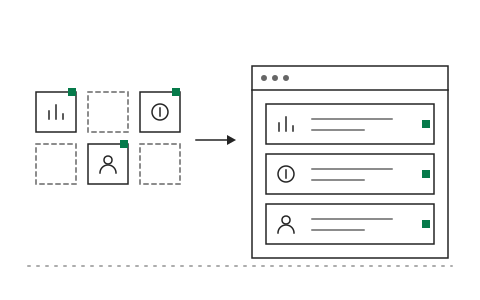
Choose only the modules you need instead of buying the whole suite

Choose only the modules you need instead of buying the whole suite

AI reconciles accounts, prepares the period close and flags anomalies

AI reconciles accounts, prepares the period close and flags anomalies

Connects to existing software through APIs, with no need to replace what works

Connects to existing software through APIs, with no need to replace what works

What Enterprise Resource Planning (ERP) is and how it helps your organisation

Sales live in one program, stock in another file, and accounting has to wait for every department before it can close the month. Each report the executives see shows slightly different numbers. Many organisations work this way for years, until rekeying and manual reconciliation become the main job of the accounting team instead of analysis.

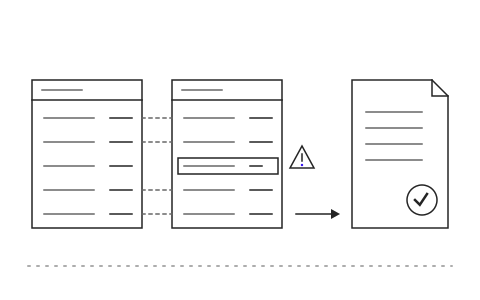
The Khaojai IT ERP system brings accounting, procurement, sales and HR onto one set of data. You choose only the modules you need instead of buying the whole suite. The AI reconciles bank statements against the ledger, prepares adjusting entries ahead of the close, and flags anomalies for accounting to review first, while a person still confirms every entry.

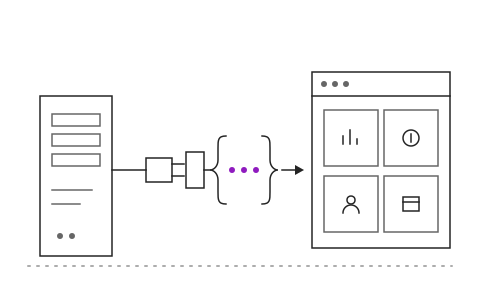
After go-live the monthly close gets shorter because data from every department sits in one place with no rekeying. Executives see the same numbers every morning and accounting gets time back for analysis. Khaojai IT shapes the ERP system around your chart of accounts and workflows, and connects it to SAP, your current accounting software or point of sale through APIs without replacing what works.

Questions buyers ask before starting

How long does an ERP implementation take

It depends on the number of modules and the complexity of your chart of accounts. Typically the first module is live within 3 to 4 months, with other modules added in later phases. We suggest starting with the most painful area.

Do we have to stop using SAP or our current accounting software

No. The system connects to SAP, Express or your existing databases through APIs. Many organisations keep their core accounting system and use our ERP for procurement, sales or the AI layer.

How reliable is the AI reconciliation and close preparation

The AI matches entries and proposes adjustments with reasons, but never posts on its own. Accounting confirms every entry, and the system records who approved what and when.

Is our financial data secure and PDPA compliant

It can run on your own servers or on cloud infrastructure in Thailand, according to your policy. Data is encrypted, access is role based and every action is logged. Personal data is handled under PDPA principles.

AI in this system

AI automates repetitive accounting and procurement work.

  1. 01Automatic bank reconciliationMatches bank lines to the ledger and leaves only the mismatches to review.
  2. 02Journal entries from documentsReads invoices and receipts and proposes journal entries for you to confirm.
  3. 03Anomaly flaggingWarns about unusually large or duplicate entries before the period close.
  4. 04Answers from company dataAsk about sales or stock in plain language and get figures straight from the system.

Works with the systems you already use

LINEMicrosoft 365Google WorkspaceSAPExcelExisting systems through APIs

Questions about Enterprise Resource Planning (ERP)?
Tell us about it

Describe the problem your organisation faces. Our team and AI will recommend the right software and help you think it through.