Accounting, procurement and ERP ›

Expense Management

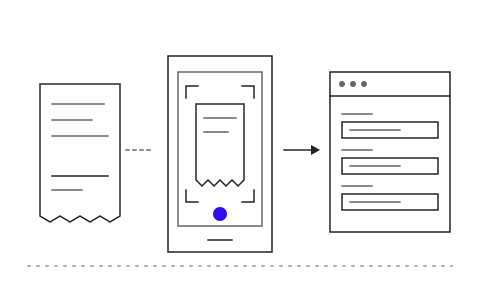
Snap a photo of a receipt and claim right away, checked against policy before it reaches accounting.

Expense ManagementSample data

Hi Napat

Spent this month (THB)3,450of 10,000 THB limit

Recent claims

  • Grab to client visit2 Oct412Paid
  • PTT Bang Na28 Sep1,500Approved

Go ahead and try it. This screen simulates the system with sample data.

Highlights

Reads receipts and tax invoices from photos

Reads receipts and tax invoices from photos

Checks claims against your expense policy

Checks claims against your expense policy

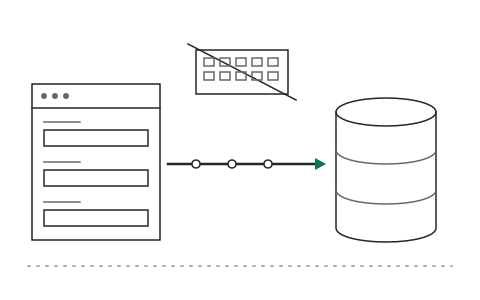
Sends entries to accounting without rekeying

Sends entries to accounting without rekeying

What Expense Management is and how it helps your organisation

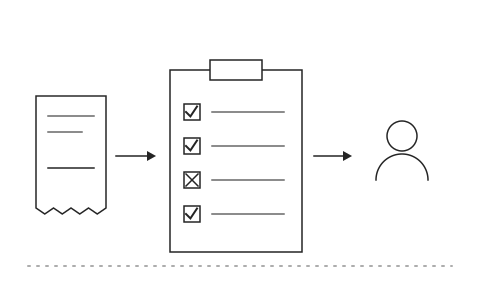
Staff keep receipts in their bags until month end, then fill in a claim form line by line. Managers sign paper, and accounting checks whether each item is within entitlement, whether the tax invoice is complete and whether the receipt was claimed before. Reimbursement takes weeks, and accounting keys every line into the system a second time.

The Khaojai IT expense management system lets staff photograph a receipt on their phone and submit the claim right away. AI reads receipts and tax invoices from the photo, extracts the amount, date and merchant, checks the claim against your expense policy such as daily limits or allowed expense types, and catches duplicates before the claim reaches the manager. Items that pass policy flow into accounting without rekeying.

After go-live, staff are reimbursed faster and no longer keep paper, managers approve from their phones, and accounting reviews only the items over entitlement or missing documents. Khaojai IT configures your expense policy and approval chain and connects the expense system to your accounting software, ERP or payroll system.

Questions buyers ask before starting

How accurately does the AI read Thai receipts photographed on a phone

It reads shop receipts, abbreviated tax invoices and full tax invoices, even when the photo is tilted or poorly lit. Items the system is unsure about are confirmed by the employee before submission, and the manager still approves.

Can it connect to our accounting software or payroll system

Yes. Approved claims are posted into SAP, Express or your existing ERP through APIs or import files, and reimbursement totals can be sent to payroll on the cycle your organisation sets.

How long does implementation take, and can we start small

Typically 1 to 2 months, depending on the complexity of your policy and the systems to connect. You can start with one department or travel expenses only and then roll out across the organisation.

Is receipt and employee data secure

Receipt images and claim data are encrypted and accessible only according to each role's permissions. Every access is logged, and employee personal data is handled under PDPA principles.

AI in this system

AI reads receipts, checks entitlements and catches duplicate claims.

  1. 01Receipt reading from photosExtracts merchant, date, amount and VAT from a phone photo.
  2. 02Entitlement checksChecks limits and expense types against the policy for each position.
  3. 03Duplicate receipt detectionWarns when the same receipt is claimed twice, even from a different photo.
  4. 04Expense categorizationPicks the account code and cost center before sending to accounting.

Works with the systems you already use

LINEMicrosoft 365Google WorkspaceSAPExcelExisting systems through APIs

Questions about Expense Management?
Tell us about it

Describe the problem your organisation faces. Our team and AI will recommend the right software and help you think it through.